Why Legacy File Transfer Tools Are Hurting Engineering Teams in 2026
Legacy tools slow teams—complex dashboards, risky data copies, and double-handling. See how BeamUp sends files straight to your storage. Free trial (5 uploads free)
Published

It’s 2026. Your team ships fast, monitors everything, and treats YAML like a love language. But the moment a partner needs to send over a 12-GB file, things slow down while someone figures out the file transfer setup.
Three tickets, two Slack threads, and one confusing dashboard later, the data still isn’t in your bucket.
What’s BeamUp?
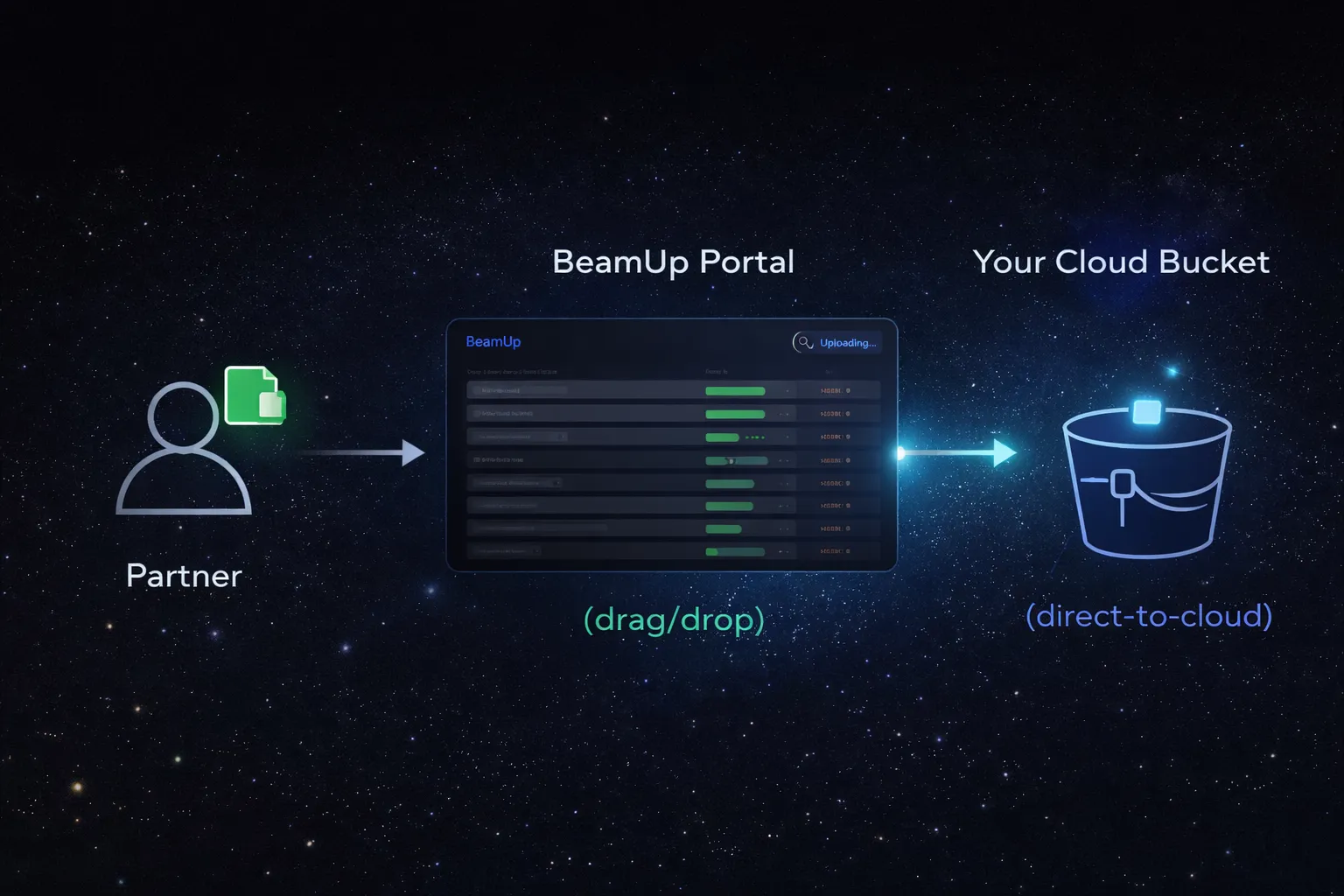
- A direct-to-cloud upload portal.
- Partners drag and drop files that land right in your bucket.
- BeamUp never stores file bodies, only the minimal configuration needed to route uploads securely.
Here are three ways legacy file transfer tools quietly tax engineering teams today, and the simpler pattern replacing them.
TL;DR
- Dashboards built for daily use don’t work for tasks you do once in a while. Teams waste time re-learning and babysitting access.
- Extra copies increase risk. Vendor-side storage and standing credentials widen the blast radius.
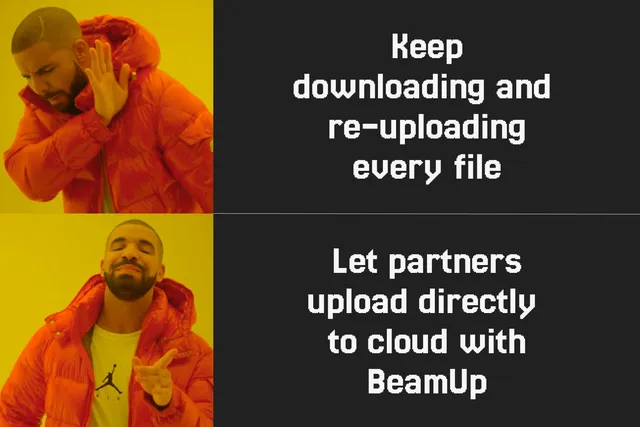
- Double handling is baked in. Upload to a vendor, download locally, then re-upload to your cloud.
- BeamUp offers a branded drag-and-drop portal that sends files directly to your storage. S3 and Google Drive are available today, with Google Cloud Storage and Azure Blob coming soon.
1) Cloud Dashboards Aren’t Built for Occasional Use
Legacy tools pack a lot of power into complex dashboards. If you use them every day, that’s fine. Most teams don’t.
What usually happens:
- Someone logs in after months away and forgets which setting controls what.
- A small permission change breaks a partner’s upload, unnoticed until late in the week.
- Simple requests like “create a folder” or “upload-only access” turn into back-and-forth tickets.
The result is lost time, constant context switching, and data that still hasn’t reached the systems that need it.
A simpler approach: a stable, shareable entry point that partners can rely on and teams don’t have to manage constantly.
2) Security Leakage
Many file transfer tools temporarily stage files on their own servers. Even if that storage is short-lived, it creates another copy outside your environment.
Combine that with long-lived admin accounts, SFTP users, and links that never expire, and the risk surface grows quickly.
Common problem areas:
- Vendor copies. Files stored or queued outside your cloud need to be tracked and explained.
- Standing credentials. Per-partner users and shared secrets often stick around far longer than intended.
- Unclear ownership. Deletion policies, audits, and access reviews become harder to reason about.
A tighter model keeps files out of third-party storage, uses short-lived, least-privilege access, and lands data directly into your cloud.
3) The Download and Re-Upload Tax
The typical flow looks like this:
Partner uploads to a vendor. Your team downloads the file. Then it gets uploaded again into your cloud. Only after that do pipelines start.
Each step adds latency, bandwidth costs, and manual work. Over time, engineers end up acting as intermediaries instead of building.
The alternative: let partners drag and drop files directly into your bucket. No laptops acting as relay points. No scheduled hand-offs.
Why This Matters for PMs and Sales Ops Too
- A single branded link replaces onboarding docs and repeated “how do I upload?” questions.
- Procurement conversations are simpler when there’s no third-party file storage involved.
- Integrations reach value faster because data arrives where it’s expected.
What “Good” Looks Like in 2026
Use this checklist to evaluate any external file intake workflow:
- Direct destination: files land in your bucket, not someone else’s system.
- Zero retention: the tool never stores file bodies.
- Secret-less by design: short-lived, scoped access instead of long-term keys.
- Branded and trustworthy: your name, colors, and logo, with a custom domain if needed.
- Low maintenance: no per-partner IAM users or detailed instructions.
- Large file support: cloud-native multipart uploads under the hood.
- Audit friendly: logs, policies, and encryption remain under your control.
How BeamUp Changes the Experience
With BeamUp, partners upload through a branded portal and files go straight to your storage. S3 and Google Drive are supported today, with Google Cloud Storage and Azure Blob coming next.
What you stop doing
- Relaying files through laptops or jump hosts.
- Creating and managing per-partner IAM users.
- Explaining vendor retention policies during audits.
What you start doing
- Share one link.
- Receive files in your bucket.
- Let pipelines run as soon as data arrives.
Security at a glance
- No retention: BeamUp never stores file bodies.
- Secret-less access: short-lived, least-privilege permissions.
- Data sovereignty: files remain in your environment.
A Quick ROI Check
Assume a weekly intake of 100 GB from partners.
- Legacy flow: two extra transfers plus manual oversight.
- BeamUp flow: partner uploads directly to your cloud.
Even if bandwidth costs are negligible, the saved engineering time adds up quickly.
Where BeamUp Fits
- Source of truth: your cloud remains the canonical data location.
- Downstream systems: ETL, ML, and media workflows trigger immediately.
- Governance: existing IAM, lifecycle rules, and encryption stay unchanged.
FAQ
How big can a single upload be?
As large as your cloud supports. BeamUp relies on multipart uploads under the hood.
Does BeamUp ever store my files?
No. BeamUp does not store file bodies. Files go directly to your bucket, with only minimal configuration retained to route uploads.
Do partners need IAM users?
No. Partners use your branded portal. You don’t need to create or manage individual accounts.
Is it only for AWS?
S3 and Google Drive are available today. Google Cloud Storage and Azure Blob Storage are coming soon.
Start your free trial (5 uploads free)
Create a branded portal, share a link, and receive files directly in your storage, with no middleman and no ongoing babysitting.
Start free trial and connect your storage in minutes.